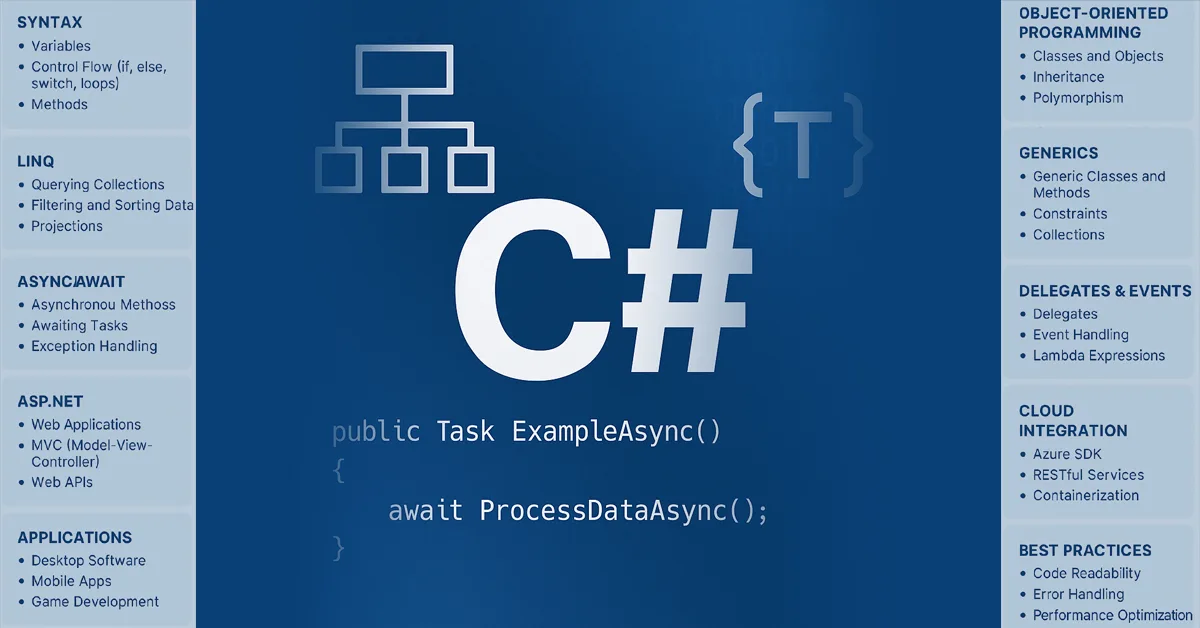
C# (C Sharp) is one of the most versatile and modern programming languages in the world — powering web applications, REST APIs, cloud-native systems, desktop software, mobile apps, Unity-based games, enterprise platforms, and AI-driven workflows. With strong type safety, high performance, cross-platform compatibility, and the rich .NET ecosystem behind it, C# delivers an ideal development environment for beginners, intermediate programmers, and expert engineers alike.
This complete guide covers the entire C# ecosystem end-to-end — including syntax fundamentals, object-oriented programming, LINQ, async/await, generics, delegates, events, memory management, reflection, debugging, security, architectural patterns, microservices, cloud integration, AI/ML development, Unity game programming, best practices, performance optimization, and real-world applications. Whether you want to build scalable enterprise systems, cloud APIs, intelligent apps, or next-generation games, this guide provides everything you need to master C# in 2025 and beyond.
📑 Table of Contents
- Introduction to C#
- History & Evolution of C#
- Why C#? Key Advantages & Use Cases
- The .NET Ecosystem (CLR, CTS, CLS, BCL, FCL)
- Installing C# & Development Environments
- C# Syntax Essentials
- Variables, Data Types & Operators
- Control Flow
- Object-Oriented Programming in C#
- Classes, Structs & Records
- Inheritance, Polymorphism & Abstraction
- Interfaces
- Generics
- Delegates, Events & Functional Programming
- LINQ
- Asynchronous Programming (async/await)
- Exception Handling
- Memory Management & Garbage Collection
- Reflection & Metadata
- File I/O
- Working With APIs
- ASP.NET for Web Development
- WPF, WinForms & MAUI for Desktop/Mobile
- Unity & Game Development
- C# in Cloud, Microservices & Containers
- C# for AI, ML & Data Processing
- Performance Optimization Techniques
- Debugging Techniques & Tools
- Security Best Practices
- Architectural Patterns (SOLID, Clean, DDD, CQRS)
- Comparing C# vs Java vs Python vs C++
- Real-World Use Cases
- Tables, Checklists & Diagrams
- Common Mistakes to Avoid
- Expert Tips
- FAQs
- Summary
- Final Inspirational Quote
1️⃣ Introduction to C#
C# (pronounced “C Sharp”) is a modern, object-oriented, type-safe programming language developed by Microsoft.
It powers enterprise systems, web applications, APIs, games, desktop/mobile apps, cloud-native systems, and even AI workflows.
C# is part of the .NET ecosystem, making it one of the most powerful and versatile languages in the world.
🌍 Who uses C#?
- Microsoft
- Unity Game Engine
- Stack Overflow
- Accenture
- Adobe
- Siemens
- Banking & FinTech companies
- Enterprise SaaS platforms
2️⃣ History & Evolution of C#
| Version | Key Features Introduced |
|---|---|
| C# 1.0 (2002) | Classes, structs, interfaces |
| C# 2.0 | Generics, anonymous methods |
| C# 3.0 | LINQ, lambda expressions |
| C# 4.0 | dynamic keyword |
| C# 5.0 | async/await |
| C# 6.0 | String interpolation, expression-bodied members |
| C# 7.x | Tuples, pattern matching |
| C# 8.0 | Nullable reference types, async streams |
| C# 9.0 | Records |
| C# 10.0 | Global usings, file-scoped namespaces |
| C# 11.0/12.0 | Raw string literals, required members |
C# evolves aggressively, keeping pace with modern software engineering.
3️⃣ Why C#? Key Advantages
✔ Strongly typed
Reduces bugs and improves reliability.
✔ Extremely versatile
Web, desktop, mobile, APIs, gaming, cloud — all in one ecosystem.
✔ High performance
Comparable to Java and sometimes C++ through optimizations.
✔ Massive ecosystem
Libraries, frameworks, community support.
✔ Cross-platform
.NET 6–9 runs on Windows, Linux, macOS, Android, iOS.
✔ Enterprise ready
Used by Fortune 500 companies for mission-critical workloads.
4️⃣ The .NET Ecosystem Explained
CLR — Common Language Runtime
Executes C# code, manages memory.
CTS — Common Type System
Defines how types behave.
CLS — Common Language Specification
Ensures cross-language compatibility.
BCL — Base Class Library
Core building blocks: collections, I/O, threading, networking.
FCL — Framework Class Library
Extended libraries for everything else.
Diagram (text-based):
            +---------------------------+
            |        Applications        |
            +---------------------------+
            |   ASP.NET | MAUI | Unity   |
            +---------------------------+
            |     Base Class Library     |
            +---------------------------+
            |  Common Language Runtime   |
            +---------------------------+
            |      Operating System      |
            +---------------------------+
5️⃣ Installing C# Development Environment
Tools:
- Visual Studio
- Visual Studio Code + C# extension
- JetBrains Rider
- .NET SDK CLI
Command to create project:
dotnet new console -o MyApp
cd MyApp
dotnet run
6️⃣ C# Syntax Essentials
using System;

class Program
{
    static void Main()
    {
        Console.WriteLine("Hello, World!");
    }
}
7️⃣ Variables, Data Types & Operators
Primitive Types:
int, float, double, decimal, char, string, bool
Example:
int age = 25;
string name = "John";
bool isActive = true;
8️⃣ Control Flow
if(age > 18) { ... }
for(int i=0; i<5; i++) { ... }
while(condition) { ... }
switch(value) { ... }
9️⃣ Object-Oriented Programming
C# is deeply OOP-focused.
4 Pillars:
- Encapsulation
- Inheritance
- Polymorphism
- Abstraction
🔟 Classes, Structs, Records
Class example:
class Person {
   public string Name { get; set; }
}
Record example (immutable):
public record User(string Name, int Age);
Struct (value type):
public struct Point { public int X, Y; }
1️⃣1️⃣ Inheritance & Polymorphism
class Animal { public virtual void Speak() => Console.WriteLine("..."); }
class Dog : Animal { public override void Speak() => Console.WriteLine("Woof"); }
1️⃣2️⃣ Interfaces
interface IWorker {
    void Work();
}
1️⃣3️⃣ Generics
List<int> numbers = new List<int>();
1️⃣4️⃣ Delegates, Events & FP
Delegate:
delegate void Notify();
Event:
public event Notify OnCompleted;
1️⃣5️⃣ LINQ — Language Integrated Query
Example:
var result = numbers.Where(n => n > 10).ToList();
1️⃣6️⃣ Async/Await
async Task LoadData()
{
    var data = await File.ReadAllTextAsync("file.txt");
}
1️⃣7️⃣ Exception Handling
try { ... }
catch(Exception ex) { ... }
finally { ... }
1️⃣8️⃣ Memory Management & Garbage Collection
C# uses generational GC, stack/heap model, finalizers, and IDisposable.
1️⃣9️⃣ Reflection
Type t = typeof(Person);
var props = t.GetProperties();
2️⃣0️⃣ File I/O
File.WriteAllText("a.txt", "Hello");
string text = File.ReadAllText("a.txt");
2️⃣1️⃣ APIs
Use HttpClient:
var client = new HttpClient();
var json = await client.GetStringAsync(url);
2️⃣2️⃣ ASP.NET Web Development
Modern web stack:
- ASP.NET Core MVC
- Razor Pages
- Blazor (WebAssembly)
- Minimal APIs
2️⃣3️⃣ Desktop & Mobile Development
- WPF
- WinForms
- .NET MAUI (cross-platform)
2️⃣4️⃣ Unity Game Development
C# is the official language of Unity.
Capabilities:
- 2D/3D games
- VR/AR
- Physics simulations
2️⃣5️⃣ C# in Cloud, Microservices & Containers
Tools:
- Docker
- Kubernetes
- Azure Functions
- gRPC
- MassTransit
2️⃣6️⃣ C# for AI, ML & Data Processing
Libraries:
- ML.NET
- TorchSharp
- TensorFlow.NET
2️⃣7️⃣ Performance Optimization Techniques
- Use
Span<T>andMemory<T> - Avoid unnecessary allocations
- Use
StringBuilder - Prefer
structonly when appropriate - Use caching
2️⃣8️⃣ Debugging Tools
- Visual Studio Debugger
- dotMemory
- dotTrace
- PerfView
2️⃣9️⃣ Security Best Practices
- Validate all input
- Use HTTPS everywhere
- Avoid storing secrets in code
- Use
SecureString - Use OAuth, OpenID Connect
3️⃣0️⃣ Architectural Patterns
- SOLID principles
- Clean Architecture
- Onion Architecture
- CQRS & Event Sourcing
- Domain-Driven Design
3️⃣1️⃣ C# vs Other Languages
| Feature | C# | Java | Python | C++ |
|---|---|---|---|---|
| Speed | ⭐⭐⭐⭐ | ⭐⭐⭐ | ⭐⭐ | ⭐⭐⭐⭐⭐ |
| Ease | ⭐⭐⭐⭐ | ⭐⭐⭐ | ⭐⭐⭐⭐⭐ | ⭐⭐ |
| Game Dev | ⭐⭐⭐⭐⭐ | ⭐⭐ | ⭐ | ⭐⭐⭐⭐ |
3️⃣2️⃣ Real-World Use Cases
- Banking systems
- Enterprise ERP & CRM
- Scalable APIs
- Cloud-native apps
- Game engines
- IoT systems
3️⃣3️⃣ Diagrams, Tables & Checklists
C# Learning Path Checklist:
| Stage | Skills |
|---|---|
| Beginner | Syntax, Types, OOP |
| Intermediate | LINQ, async, events |
| Advanced | Reflection, patterns, architecture |
| Expert | Microservices, cloud, AI |
3️⃣4️⃣ Common Mistakes to Avoid
❌ Overusing async
❌ Forgetting ConfigureAwait(false)
❌ Poor memory handling
❌ Circular dependencies
❌ Blocking async code
❌ Not using dependency injection
3️⃣5️⃣ Expert Tips
⭐ Use var for readability
⭐ Learn LINQ deeply — it changes everything
⭐ Prefer composition over inheritance
⭐ Think in interfaces
⭐ Use SOLID principles religiously
3️⃣6️⃣ Frequently Asked Questions
1️⃣ General Understanding
Q1. What is C#?
C# (C Sharp) is a modern, object-oriented, type-safe programming language developed by Microsoft. It is used to build web apps, APIs, cloud services, desktop apps, mobile apps, enterprise systems, Unity games, and AI/ML pipelines using the .NET ecosystem.
Q2. What is C# used for?
C# is widely used for:
- ASP.NET Core web applications
- REST APIs
- Desktop development (WPF, WinForms)
- Mobile apps (.NET MAUI)
- Cloud-native and microservices
- Unity game development
- IoT and embedded systems
- AI and machine learning (ML.NET, TorchSharp)
Q3. Why is C# so popular?
C# is popular due to its clean syntax, strong type safety, cross-platform support, enterprise-grade performance, rich libraries, and integration with modern frameworks and cloud platforms.
2️⃣ Beginner & Learning Questions
Q4. Is C# good for beginners?
Yes. C# is one of the best languages for beginners because it has intuitive syntax, powerful tools, a predictable structure, and a stable ecosystem that helps new learners grow quickly.
Q5. How do I start learning C#?
Install the .NET SDK, use Visual Studio or VS Code, and begin with:
- Syntax and data types
- Control flow
- Object-oriented programming
- LINQ
- Async/await
Practice by building small console apps or simple Unity games.
Q6. What can beginners build with C#?
Beginners can build small apps like console utilities, simple APIs, basic GUIs, 2D Unity games, and automation scripts.
3️⃣ C# vs .NET & Platform Compatibility
Q7. What is the difference between C# and .NET?
C# is the programming language.
.NET is the runtime and framework that executes C# code and provides libraries, compilers, APIs, and cross-platform support.
Q8. Is C# only for Windows?
No. C# runs on Windows, Linux, macOS, iOS, Android, and the cloud via .NET 6–9.
Q9. What is the CLR in C#?
The CLR (Common Language Runtime) is the execution engine for .NET applications. It manages memory, handles security, compiles code, and provides runtime services.
4️⃣ Core Features & Concepts
Q10. What are the main features of C#?
C# includes modern features like:
- OOP (classes, inheritance, polymorphism)
- LINQ
- Async/await
- Generics
- Delegates and events
- Memory management
- Reflection
- Exception handling
- Cross-platform development
Q11. What is LINQ in C#?
LINQ lets you query data (collections, XML, databases, files) using SQL-like syntax directly in C#.
Q12. What is async/await in C#?
async/await is the asynchronous programming model in C# that allows non-blocking operations, improving application responsiveness and performance.
Q13. What are delegates and events?
Delegates are type-safe function pointers.
Events use delegates to implement publish–subscribe communication.
5️⃣ AI, ML & Modern Development
Q14. Is C# good for AI?
Yes. C# supports AI and ML development using frameworks like ML.NET, TorchSharp, and TensorFlow.NET, enabling model training, prediction, and integration into production systems.
Q15. How is C# used in machine learning?
C# can create ML pipelines for classification, forecasting, NLP, image processing, and real-time prediction using ML.NET.
6️⃣ Cross-Platform & Mobile Questions
Q16. Is C# cross-platform?
Yes. With .NET, C# apps run on Windows, Linux, macOS, Android, iOS, and cloud environments.
Q17. Can C# be used for mobile development?
Yes — using .NET MAUI, Xamarin, and Blazor Hybrid. You can build native Android, iOS, Windows, and macOS apps with a single C# codebase.
7️⃣ Memory, Runtime & Advanced Developer Questions
Q18. How is memory managed in C#?
Memory is automatically handled by the Garbage Collector (GC), which frees unused objects through generational collection.
Q19. What is reflection in C#?
Reflection allows reading and manipulating metadata at runtime — useful in frameworks, serialization, dependency injection, and dynamic behaviors.
8️⃣ Real-World Use Cases
Q20. Is C# good for web development?
Yes. ASP.NET Core is one of the fastest frameworks for web apps, APIs, and enterprise-grade systems.
Q21. Is C# good for game development?
Yes. C# is the primary language of Unity, used for millions of games across PC, mobile, VR, AR, and consoles.
Q22. Is C# good for cloud development?
Yes. C# integrates seamlessly with Azure, Docker, Kubernetes, microservices architecture, and serverless computing.
9️⃣ Career & Comparisons
Q23. Is C# a good career choice?
Yes. C# developers are in high demand for backend engineering, cloud development, game development, API development, enterprise systems, and full-stack roles.
Q24. Is C# better than Java?
C# is more modern, evolves faster, and often provides better performance and tooling, but both are powerful enterprise languages.
Q25. Is C# better than Python?
Python is best for rapid prototyping and AI research.
C# is superior for performance, structure, enterprise apps, games, and scalable cloud systems.
🔟 Best Practices, Architecture & Performance
Q26. What are the best practices in C#?
- Follow SOLID principles
- Use dependency injection
- Avoid unnecessary allocations
- Implement async correctly
- Prefer composition over inheritance
- Write clean, readable code
- Apply Clean Architecture and DDD where appropriate
Q27. How do you optimize performance in C#?
- Use
Span<T>andMemory<T> - Use
StringBuilderfor heavy string operations - Cache expensive computations
- Minimize LINQ overuse
- Avoid blocking asynchronous code
- Profile using performance tools
Q28. What tools are used for debugging C# apps?
- Visual Studio Debugger
- VS Code Debugger
- JetBrains Rider
- dotTrace
- dotMemory
- PerfView
🔥 BONUS
Q29. What is Entity Framework Core?
EF Core is Microsoft’s ORM for working with databases using C# and LINQ instead of raw SQL.
Q30. What is dependency injection in C#?
A design pattern where object dependencies are supplied externally to improve modularity, testing, and architecture quality.
Q31. Will C# remain relevant in the future?
Yes. With .NET’s evolution, cloud-native adoption, AI integration, and Unity dominance, C# is one of the most future-proof languages.
3️⃣7️⃣ Summary
C# is a complete, future-proof, enterprise-grade, multi-purpose programming language with unmatched consistency, productivity, and ecosystem power.
Whether you’re building games, AI solutions, enterprise applications, microservices, APIs, cloud systems, or desktop/mobile apps, C# stands as one of the most capable languages of the modern era.
🌟 Final Inspirational Quote
“Mastering C# is not just learning a language — it is learning how logic, structure, creativity, and innovation work together to build the future.“
– Md Chhafrul Alam Khan